[MHL] No Escape - Bypassing iOS Jailbreak Detection
Introduction
The main goal of this challenge was bypassing the jailbreak detection and I hope in this write up provide a good introduction of how to reverse engineer an IPA file using Hopper, identify functions and perform dynamic instrumentation, hooking function and overwriting return values.
Challenge
Welcome to the iOS Application Security Lab: Jailbreak Detection Evasion Challenge. The challenge centers around a fictitious app called No Escape, designed with robust jailbreak detection mechanisms. Your mission is to bypass these mechanisms and gain full access to the app's functionalities using Frida.

Table of Contents
Analyzing the App
I started by installing the IPA file on my device – an iPhone 7 running iOS 15 jailbroken by Dopamine. After installing the application and opening it, the first screen showed an error message:

To spot how detection works I started the reverse engineering of the file by identifying the binary with application's code and then using Hopper to decompile it. Since IPA files are just "zip" files, they can be extracted using an archive utility, such as the unzip command, the Archive Utility on Mac, or 7zip/WinRAR on Windows. After extracting the IPA file we can start the analysis by taking a look at the Info.plist inside the Payloads/ folder.
The
.plistextension means Property List, and theInfo.plistfile contains some metadata and properties for the application.
If you attempt to just open the file, you will notice that it's not readable, and that's because .plist files can be in either binary, JSON, or XML format, and usually, IPA files contain the precompiled binary version of the .plist, similar to AndroidManifest.xml (for the Android nerds).
There are many ways to translate it to a readable format (XML or JSON), some options include:
- opening in Xcode;
- parsing with the plist Python library;
- using command line tools such as
plutil,ipswordefaults.
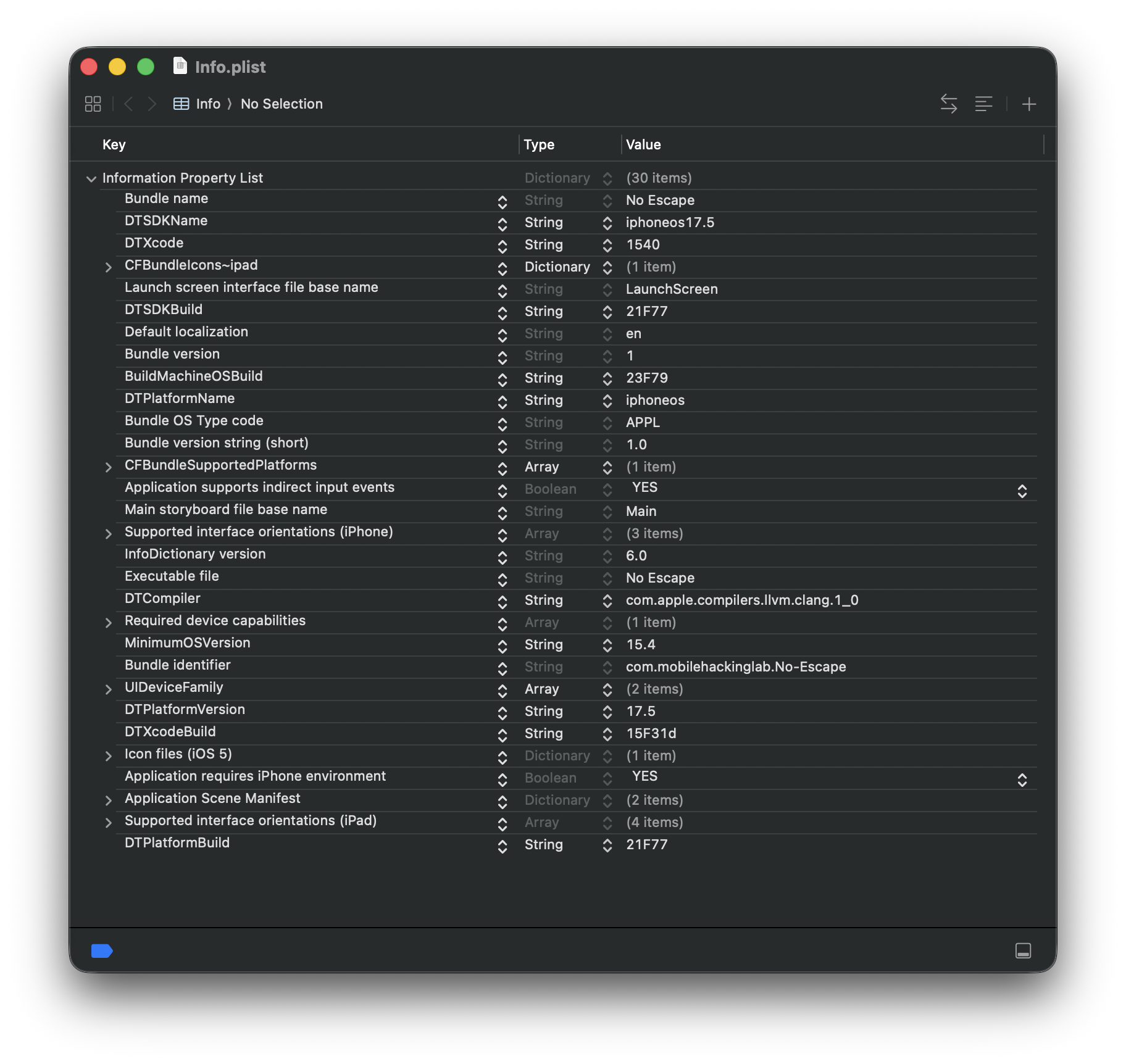
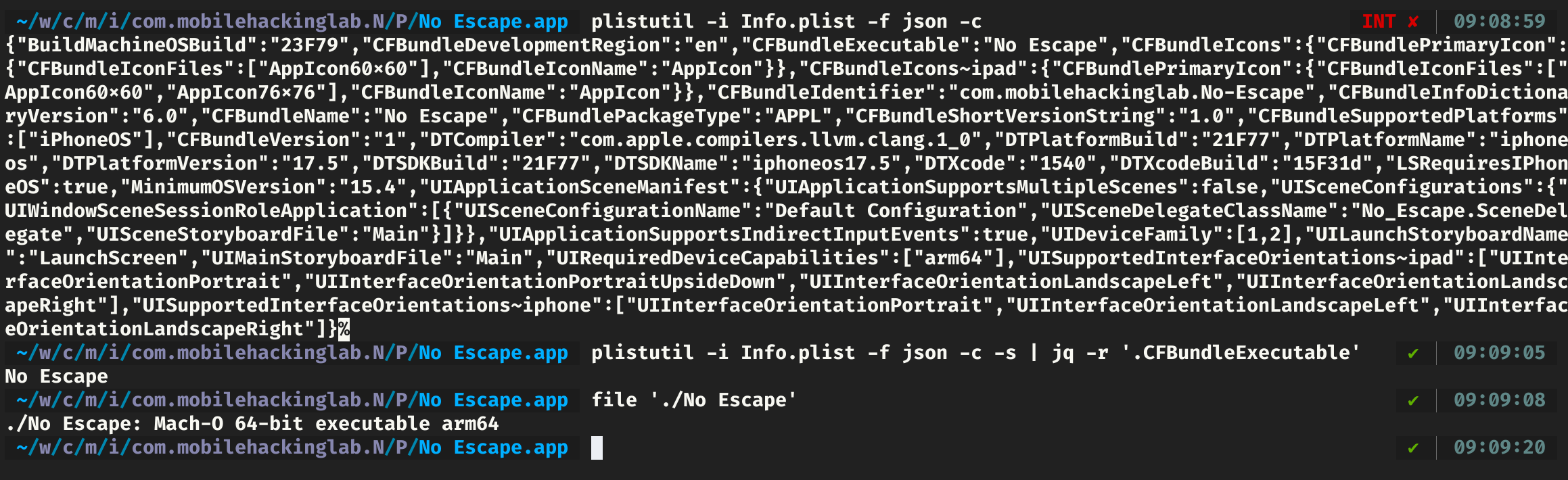
In the Bundle Name you can see the name of the binary executed as the entry point of the IPA file, and inside it we have the entire application logic. Now, we can just indentify it in the Payloads directory and then upload it to a decompiler tool to read the assembly or the similar Swift/Objective-C code.
In Hopper we can start by searching the alert message in the strings tab on the left panel, then we can identify where the string is used to detect the logic of Jailbreak detection before popping the message.
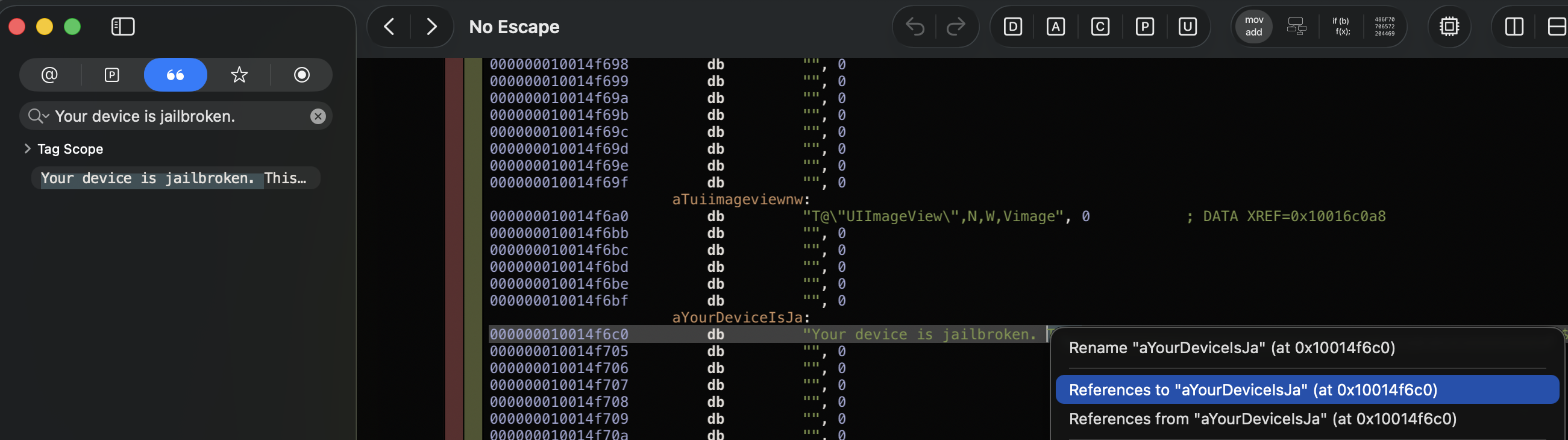
Following the trace we will end up in a function with name:
_$s9No_Escape11AppDelegateC11application_29didFinishLaunchingWithOptionsSbSo13UIApplicationC_SDySo0k6LaunchJ3KeyaypGSgtF
This is the demangled name of a Swift function, and this function has the following code:
bool _$s9No_Escape11AppDelegateC11application_29didFinishLaunchingWithOptionsSbSo13UIApplicationC_SDySo0k6LaunchJ3KeyaypGSgtF(void * self, void * arg1, int arg2) {
    r1 = arg2;
    r31 = r31 - 0x50;
    var_10 = self;
    decomp_var_8 = r19;
    saved_fp = r29;
    decomp_var_m8 = r30;
    var_30 = self;
    if ((No_Escape.isJailbroken(self) & 0x1) != 0x0) {
            No_Escape.AppDelegate.showAlert(var_30, message: {Swift.String.init(var_30, _builtinStringLiteral: "Your device is jailbroken. This may compromise security. Quitting...", utf8CodeUnitCount: 0x44, isASCII: 0x1 & 0x1):r1});
            swift_bridgeObjectRelease(r1);
    }
    r0 = 0x1 & 0x1;
    return r0;
}
As you can see, the condition validates the return of the No_Escape.isJailbroken() function, which returns a boolean value, and if the return is true or 0x1 in hexadecimal, then the app pops up the alert message with the searched message. It looks like we got into the relevant code used to detect jailbroken devices. Looking inside the function we have the following:
bool _$s9No_Escape12isJailbrokenSbyF(void * self) {
    r20 = self;
    r31 = r31 - 0x20;
    saved_fp = r29;
    decomp_var_m8 = r30;
    if ((No_Escape.checkForJailbreakFiles() & 0x1) != 0x0) {
            var_4 = 0x1;
    }
    else {
            var_4 = No_Escape.checkForWritableSystemDirectories(r20);
    }
    if ((var_4 & 0x1) != 0x0) {
            var_8 = 0x1;
    }
    else {
            var_8 = No_Escape.canOpenCydia(r20);
    }
    if ((var_8 & 0x1) != 0x0) {
            var_C = 0x1;
    }
    else {
            var_C = No_Escape.checkSandboxViolation(r20);
    }
    if ((var_C & 0x1) != 0x0) {
            var_10 = 0x1;
    }
    else {
            var_10 = 0x0;
    }
    r0 = var_10 & 0x1;
    return r0;
}
The detection of jailbreaking looked solid, and, reading the nested functions, there are many internal validations, such as:
- if there are common Jailbreak files in the system (
su,bash, etc.) - if the system directories are writable from the app's context
- if the system has the Cydia app (a common package manager in Jailbroken devices)
- if there is any sign of sandbox violations, with checks for the apt directory (
/private/var/lib/apt/)
However, all the functions rely on a single conditional line in the first code block: No_Escape.isJailbroken(). Since all the functions were called by this parent function, everything also returns through this function, so we can overwrite their return value to completely bypass all internal logic used to detect jailbroken devices.
Bypassing Jailbreak Detection with Frida Dynamic Instrumentation
To overwrite the function, we must hook the Swift function, and I used Frida for that. Since Frida 17, we can use Module.findGlobalExportByName(functionName) from Frida's JavaScript API to find the address of the function in the application.
Note that if you copied the function name from Hopper, you must remove the underscore (
_) prefix.
Then, with the function address, we can use the Interceptor API to hook the function execution and manipulate the memory:
- at the moment this function is called (
onEnter), to check if we hooked the right function; - and before its return (
onLeave), to overwrite the return value from0x1to0x0.
var fn = Module.findGlobalExportByName('$s9No_Escape12isJailbrokenSbyF');
Interceptor.attach(fn, {
    onEnter(args) {
        console.log('[*] No_Escape.isJailbroken()');
    },
    onLeave(retval) {
        retval.replace(0);
        console.log(`\tReplace return: ${retval}`);
    }
});
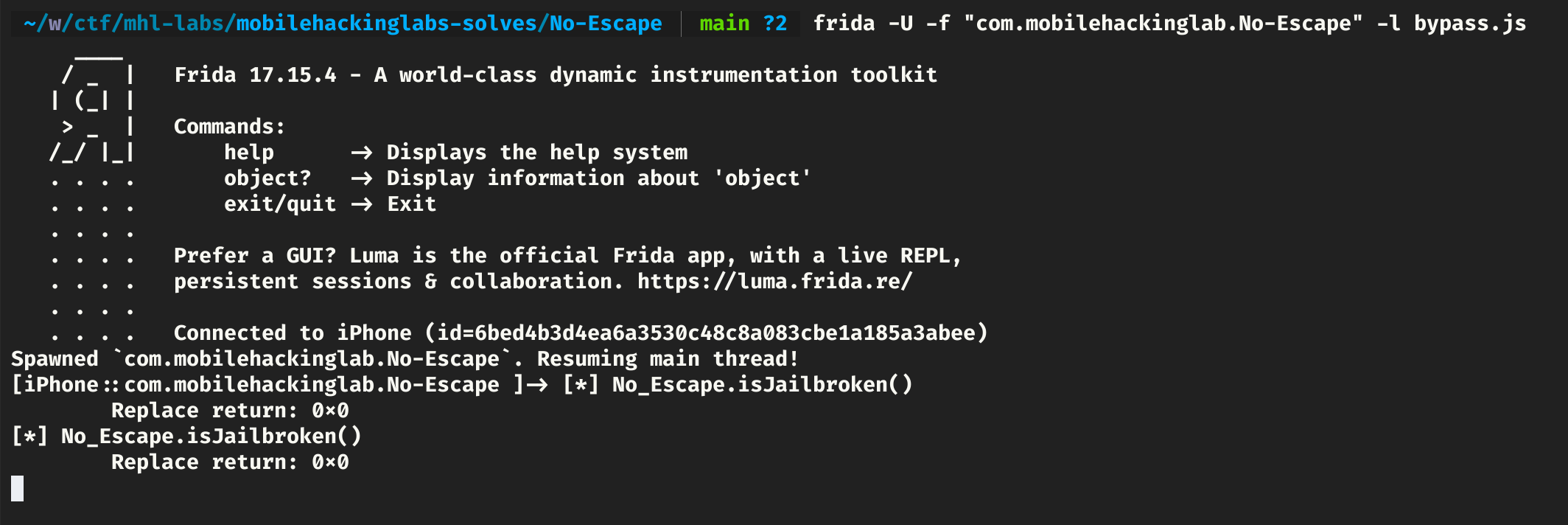
Executing this bypass script, we bypass the checks and get the flag.
frida -U -f "com.mobilehackinglab.No-Escape" -l bypass.js